




Why Backup as a Service Matters for Your Business
Backup as a Service (BaaS) is a managed way to copy, protect, and restore business data through secure off-site cloud storage. Instead of buying, maintaining, and monitoring backup hardware yourself, your business sets backup and recovery needs while a provider helps automate the process.
For a small or mid-sized business, that means important files, servers, employee devices, and SaaS data such as Microsoft 365 can stay recoverable after accidental deletion, hardware failure, ransomware, or a local disaster. The most effective BaaS plans include encrypted backups, separate off-site copies, clear recovery targets, and regular restore testing.
Data protection is no longer just an IT task. It is a core part of business continuity. A backup only has value if it is protected from attackers and can be restored when your team needs it.
I am Paul Nebb, founder of Titan Technologies, with experience helping organizations strengthen cybersecurity, emergency preparedness, and IT resilience. In this guide, I will explain how backup as a service can help businesses protect critical information without adding unnecessary complexity.
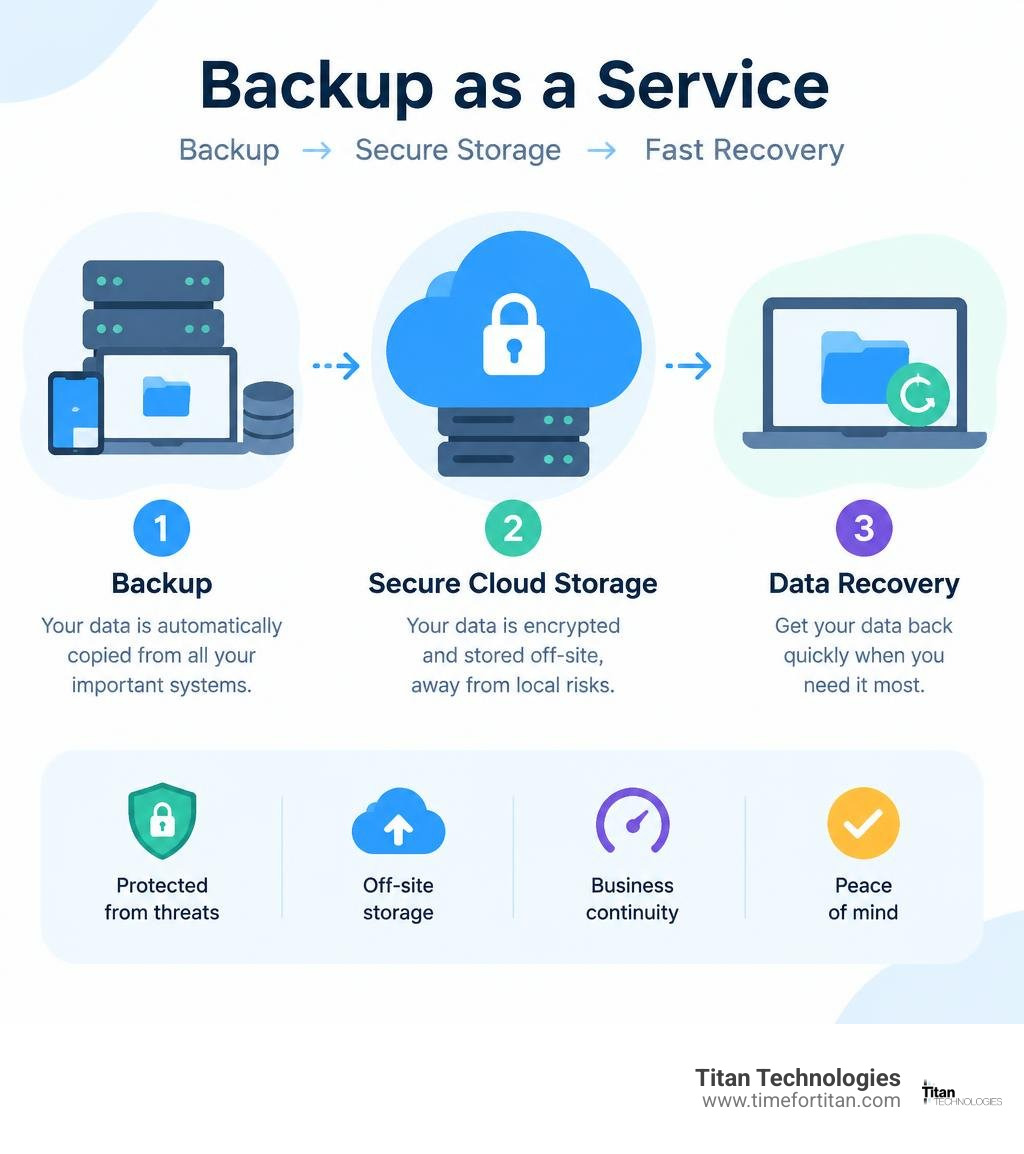
What Is Backup as a Service and How Does It Work?
At its foundation, BaaS moves data protection from manual maintenance to an automated cloud delivery model. Instead of relying on local staff to rotate tapes, inspect local Network Attached Storage (NAS) units, and verify storage limits, BaaS creates an automated pipeline that continuously safeguards digital assets.
Global data generation has expanded dramatically, with estimates showing that over 463 exabytes of data are created daily worldwide. Protecting this volume requires a resilient architecture designed for rapid recovery. Modern BaaS connects your physical servers, virtual machines, cloud instances, and software-as-a-service (SaaS) environments to secure cloud repositories. Finding the right cloud backup solution ensures your operational data is continuously protected against disruptions.
Traditional Backup vs. Modern Cloud Architecture
For decades, organizations relied on on-premises backup solutions: tape drives, external hard drives, or dedicated on-site backup appliances. While these tools provided local control, they introduced significant operational friction:
- Single Points of Failure: If a fire, flood, or power surge hits your primary server room, on-site backup hardware is often destroyed alongside production equipment.
- Maintenance Overhead: IT teams spend hours each week checking jobs, cleaning drives, updating firmware, and managing storage space.
- Hardware Obsolescence: On-premises appliances age quickly. Upgrading means purchasing new physical units, configuring operating systems, and migrating legacy archives.
- Human Error: Forgetting to swap a drive or neglecting an unverified backup job can leave a business unprotected for weeks or months without anyone noticing.
Relying entirely on local storage risks falling into expensive backup assumptions that expose operations to extended downtime.
Modern cloud architecture shifts the storage and compute layer off-site. The physical infrastructure is maintained across enterprise-grade data centers equipped with redundant power, advanced fire suppression, and strict physical access controls.
How the Backup as a Service Process Functions
The mechanics of BaaS are built for speed, minimal network overhead, and strong encryption. Here is the step-by-step workflow:
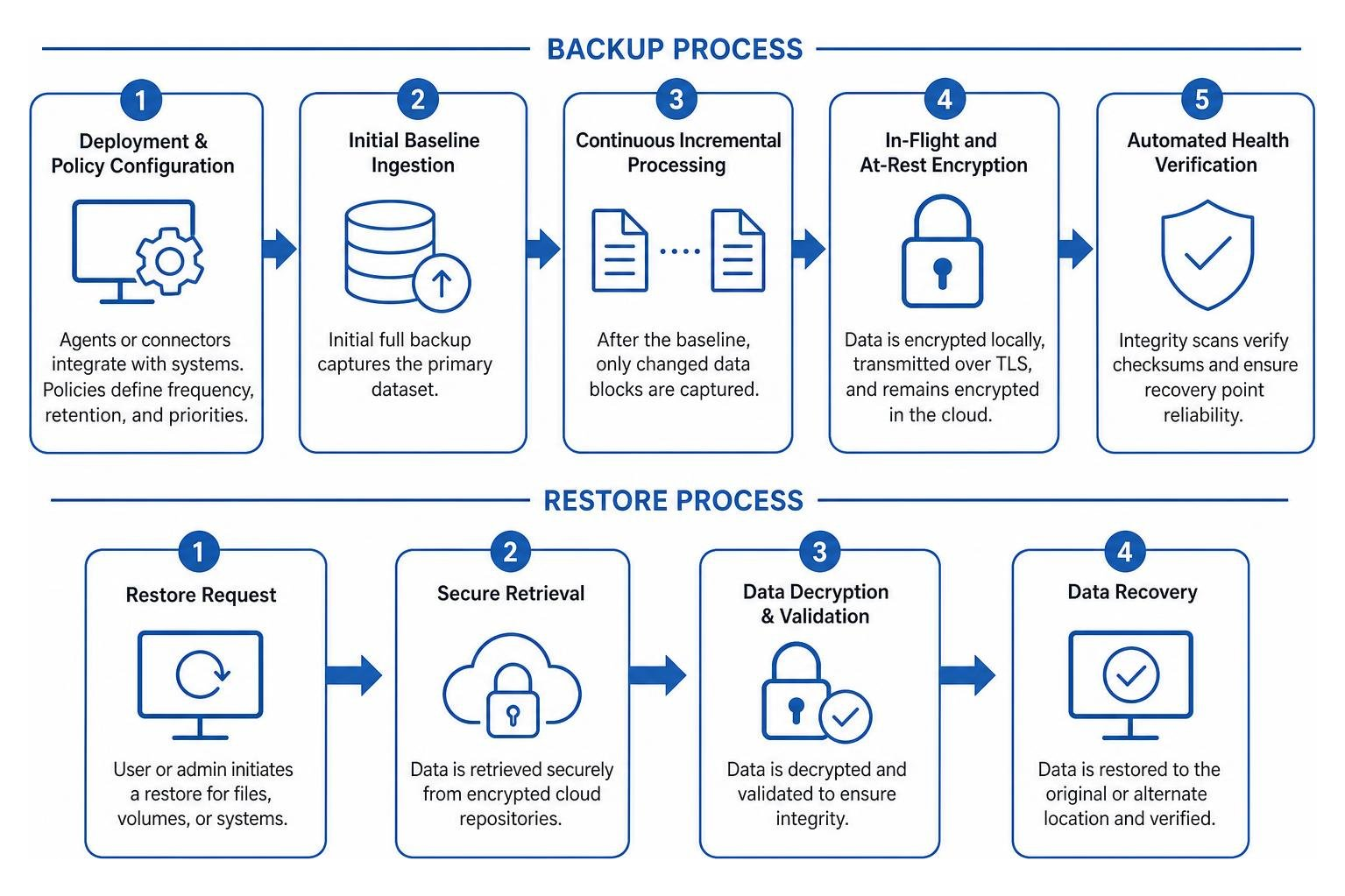
- Deployment & Policy Configuration: Lightweight agents or agentless connectors integrate with your virtualized hosts, operating systems, databases, and SaaS tools. We set policies defining backup frequency, retention rules, and priority tiers.
- Initial Baseline Ingestion: An initial full backup captures the primary dataset. To minimize network strain, this can run during off-peak hours or use bulk seeding options.
- Continuous Incremental Processing: After the baseline, the system captures only changed data blocks using incremental or differential tracking, keeping data transfers light.
- In-Flight and At-Rest Encryption: Data is encrypted locally before transmission using military-grade AES 256-bit encryption. It travels over encrypted TLS tunnels and remains fully encrypted inside cloud repositories.
- Automated Health Verification: The BaaS platform performs integrity scans to detect silent data corruption, verify checksums, and ensure recovery point reliability.
- Rapid, Granular Recovery: When files are lost or systems crash, administrators restore entire virtual machines, single database tables, or individual emails from a centralized dashboard.
Key Business Benefits of Adopting BaaS
Transitioning from unmanaged on-site backups to an outsourced, managed model delivers measurable operational and financial benefits.
| Feature / Metric | Traditional On-Premises Backup | Backup as a Service (BaaS) |
|---|---|---|
| Capital Investment (CapEx) | High (servers, storage arrays, tape drives) | Zero (operational subscription model) |
| Maintenance Burden | High (manual updates, disk swaps, monitoring) | Low (automated, managed infrastructure) |
| Scalability | Rigid (requires purchasing more hardware) | Instant (scale storage up or down on demand) |
| Ransomware Protection | Vulnerable if connected to local network | High (immutable, air-gapped repositories) |
| Off-Site Redundancy | Manual (transporting physical media off-site) | Automatic (replicated to geo-redundant clouds) |
| Restore Verification | Irregular, manual testing | Automated integrity testing and validation |
Financial Predictability and Operational Efficiency
One of the strongest arguments for BaaS is the shift from capital expenditures (CapEx) to operational expenditures (OpEx). Instead of budgeting large sums every three to five years to replace aging storage arrays, your organization pays a predictable subscription based on actual resource consumption.
This approach eliminates the need to over-provision hardware for future storage growth. Automated tiering moves older, less-critical retention points into cost-effective archive tiers while keeping recent recovery points instantly accessible.
Operationally, BaaS frees your internal team to focus on strategic technology initiatives rather than monitoring daily backup logs. Partnering with a managed provider for Data Protection as a Service ensures dedicated specialists handle routine maintenance, validation, and capacity planning.
Ransomware Defense and Immutability
Cyber threats have grown increasingly targeted. Data theft and backup deletions by cybercriminals have surged across every industry. When attackers breach an enterprise network, one of their primary objectives is deleting or encrypting backup files to force ransom payments. In February 2023 alone, 240 ransomware attacks were documented globally—a 45% increase from the prior month.
BaaS counters this threat through immutability and air-gapped storage architecture:
- Immutable Storage (WORM Compliance): Write-Once, Read-Many technology prevents backup data from being edited, overwritten, or deleted by anyone—including administrative accounts—until a pre-set retention timer expires.
- Logical Air-Gapping: The BaaS cloud repository is completely isolated from your corporate network. Even if an attacker compromises internal domain credentials, they cannot access, alter, or delete the cloud backup tier.
- Zero-Trust Access Controls: Multi-User Authorization (MUA) and Role-Based Access Control (RBAC) ensure critical operations, such as deleting retention rules or initiating mass restores, require secondary approvals and multi-factor authentication.
Integrating data security protection services directly into your backup framework ensures your recovery points remain clean, uncorrupted, and ready to deploy during an emergency.
Deployment Models and Provider Selection Criteria
Not every business has the same operational architecture. Choosing the right BaaS model depends on data sensitivity, local regulatory mandates, available bandwidth, and recovery speed requirements.
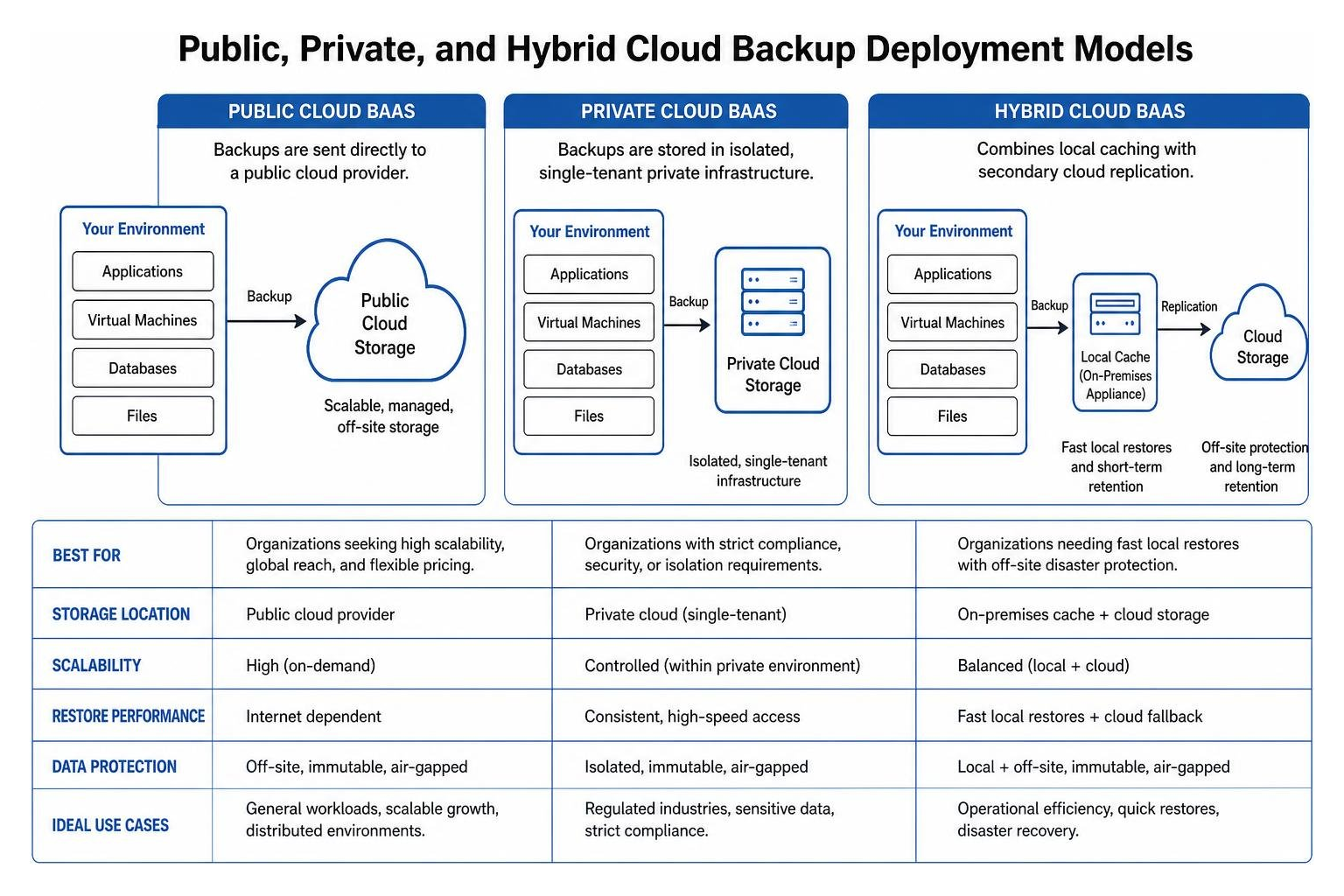
- Public Cloud BaaS: Backups are sent directly to hyperscale environments like Microsoft Azure Backup or AWS. This model offers high scalability, global reach, and flexible consumption pricing.
- Private Cloud BaaS: Backups are stored in isolated, single-tenant private infrastructure. This option works well for organizations with strict compliance, security, or isolation requirements.
- Hybrid BaaS: Combines local caching on an on-premises appliance with secondary cloud replication. This architecture provides fast local restores for operational issues alongside off-site protection against facility disasters.
Evaluating providers also requires attention to data sovereignty and compliance. Strict data residency controls are essential for regulated industries, while modern virtualization management often uses secure platforms for virtual environments. For organizations managing distributed workloads, multi-cloud disaster recovery provides redundancy across distinct cloud platforms.
Hybrid Cloud Infrastructure for Complex Workloads
For enterprises managing latency-sensitive databases, ERP systems, or large unstructured datasets, a pure cloud backup model can sometimes introduce network throughput bottlenecks during mass restores.
Hybrid cloud BaaS resolves this by keeping a local snapshot on a dedicated appliance or virtualization cluster while copying the dataset to the cloud. If an employee accidentally deletes a spreadsheet or a server crashes, the local snapshot restores the system in minutes. If the entire facility is compromised, the off-site cloud repository takes over.
This dual-tier approach forms the backbone of comprehensive enterprise data protection, giving teams both fast recovery times and reliable off-site protection.
Essential Features to Evaluate in a Backup as a Service Provider
When vetting a BaaS provider, prioritize operational capabilities over simple marketing claims:
- Granular Restoration: Look for solutions that restore individual files, mailboxes, and database tables without requiring full system recoveries.
- Clear Service Level Agreements (SLAs): Ensure the contract clearly outlines uptime guarantees, restore speed expectations, and support escalation paths.
- Automated Verification: The system should regularly test backup integrity and bootability in sandbox environments.
- Endpoint and Remote Workforce Protection: Continuously backing up remote laptops and decentralized endpoints is essential for modern workforces.
- Role-Based Security: Look for built-in access controls, custom encryption key options (BYOK), and multi-factor authentication.
Core Use Cases: From SaaS Data to Disaster Recovery
BaaS addresses modern operational workflows that extend beyond local server rooms.
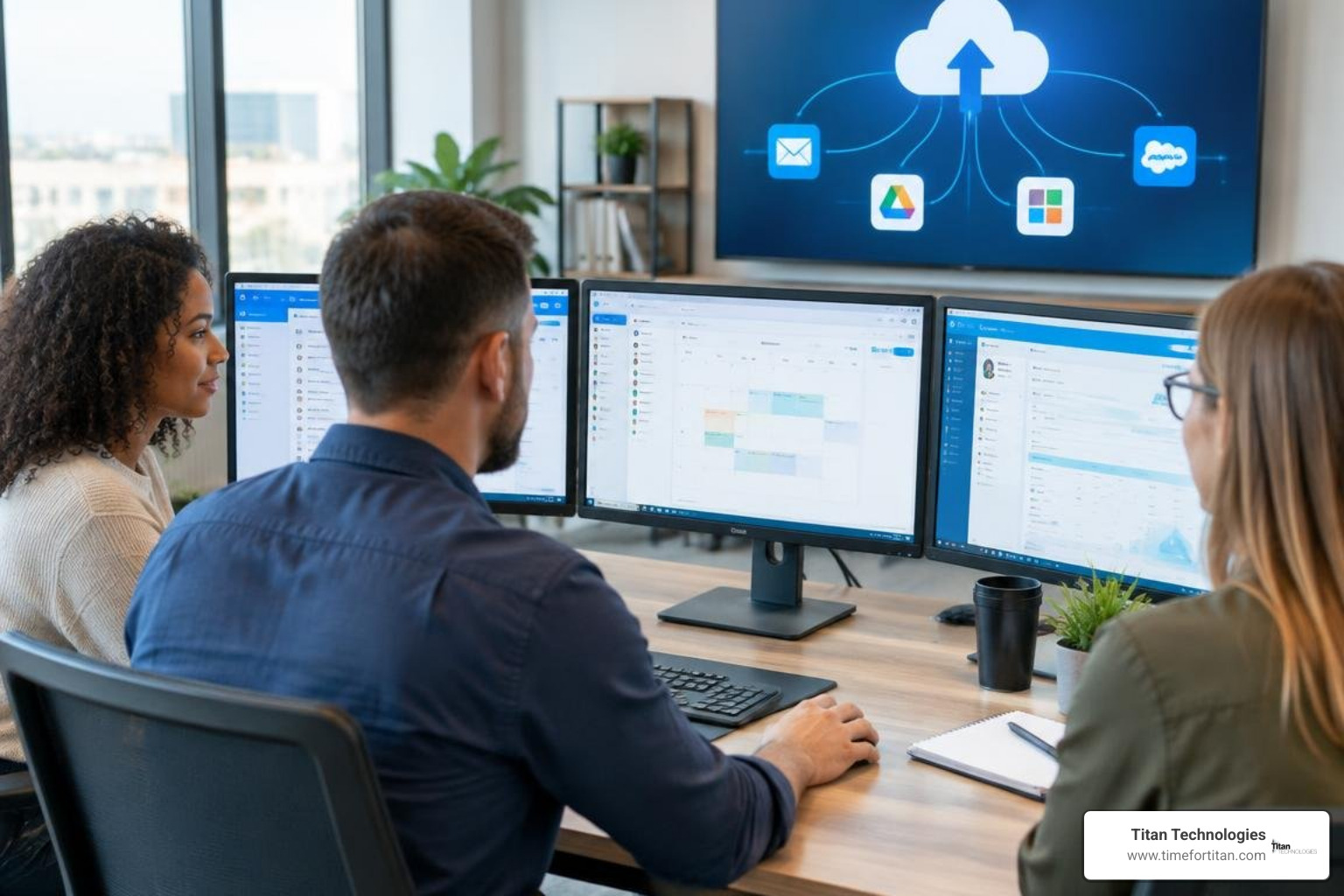
Protecting SaaS Workloads and Remote Endpoints
A common IT misconception is that cloud platforms like Microsoft 365, Google Workspace, and Salesforce automatically protect your data against all forms of loss. In reality, SaaS vendors operate under a Shared Responsibility Model. They guarantee platform availability and hardware uptime, but data retention, protection against accidental deletion, insider threats, and ransomware remain your responsibility.
Standard SaaS recycle bins permanently purge deleted items after a short retention window. If an employee leaves or ransomware corrupts a cloud drive, unbacked SaaS data can be permanently lost. BaaS bridges this gap by automatically capturing mailboxes, SharePoint libraries, OneDrive files, and Google Drive shares into an independent cloud repository with unlimited version history.
BaaS also protects remote and hybrid workforces by running background backups on employee laptops, ensuring business files are saved regardless of where staff members work.
Aligning RTO, RPO, and Business Continuity
Data protection strategies rely on two core metrics:
- Recovery Point Objective (RPO): The maximum age of files an organization must recover from backup storage for normal operations to resume after a disaster (i.e., how much data you can afford to lose).
- Recovery Time Objective (RTO): The maximum tolerable length of time that your computer, system, network, or application can be down after a failure or disaster.
BaaS lets you set tailored RPO and RTO profiles based on application criticality. Mission-critical databases can be backed up hourly with low RPOs, while static file archives run on a standard 24-hour cycle.
While BaaS focuses on restoring lost or corrupted data, pairing it with Disaster Recovery as a Service (DRaaS) provides active system failover during major infrastructure outages. Understanding how modern enterprise recovery solutions operate helps organizations maintain continuity across physical, virtual, and cloud workloads. Maintaining an updated business disaster recovery and continuity plan ensures every team member knows their exact role during a recovery scenario.
Frequently Asked Questions About BaaS
How does BaaS protect against ransomware attacks?
BaaS protects datasets through immutable storage repositories and air-gapped infrastructure. Immutable backups use WORM (Write-Once, Read-Many) architecture, preventing files from being modified, encrypted, or deleted during an attack. Because cloud repositories are separated from your local Active Directory, attackers cannot compromise backups with stolen network credentials, ensuring a clean recovery point.
What is the difference between BaaS and DRaaS?
BaaS focuses on data protection and restoration—copying files, databases, and system images to the cloud for retrieval after corruption, deletion, or loss. Disaster Recovery as a Service (DRaaS) replicates live compute infrastructure and application environments to the cloud. When a disaster occurs, DRaaS spins up complete virtual servers in minutes to minimize operational downtime, while BaaS restores data back onto repaired or replacement hardware.
Is Backup as a Service cost-effective for small and mid-sized businesses?
Yes. BaaS eliminates upfront capital expenses for local storage units, backup servers, and licensing. Instead, organizations pay an ongoing operational subscription based on their actual storage use. Small and mid-sized businesses gain enterprise-grade data centers, continuous monitoring, and automated security management without needing dedicated internal storage administrators.
Conclusion
Data loss carries serious business consequences. Research shows that 60% of companies that lose critical data shut down within six months of the incident. Combined with rising data breach costs and increasingly frequent ransomware attacks, relying on outdated on-premises backups is a risk modern businesses cannot afford.
Backup as a Service provides a resilient, automated, and scalable way to protect your business. By combining off-site cloud storage, immutable protection, automated health checks, and granular recovery, BaaS keeps your systems operational through hardware crashes, human error, and cyber incidents.
At Titan Technologies, we help businesses across Central New Jersey design, deploy, and manage dependable data protection solutions. Whether your team operates in Edison, Elizabeth, Lakewood, Newark, Trenton, Princeton, New Brunswick, Matawan, Woodbridge, Freehold, or Red Bank, our specialists deliver fast, dependable support backed by a 100% satisfaction guarantee.
Take the uncertainty out of your data protection strategy. Explore our managed business disaster recovery solutions or contact us today to secure your critical business data.