




Why Your Business Can’t Afford to Lose Data
Cloud backup solutions are automated services that copy your business data to secure, remote servers, protecting against hardware failures, cyberattacks, and human error. Unlike basic cloud storage, these purpose-built systems provide complete disaster recovery with features like file versioning, encryption, and one-click restoration.
Quick Cloud Backup Essentials:
- Purpose: Automatic, continuous protection of all business data
- Key Benefit: Complete disaster recovery vs. manual file storage
- Security: 256-bit AES encryption and ransomware protection
- Recovery: Restore individual files or entire systems in minutes
- Cost: Predictable monthly fees with unlimited or tiered storage
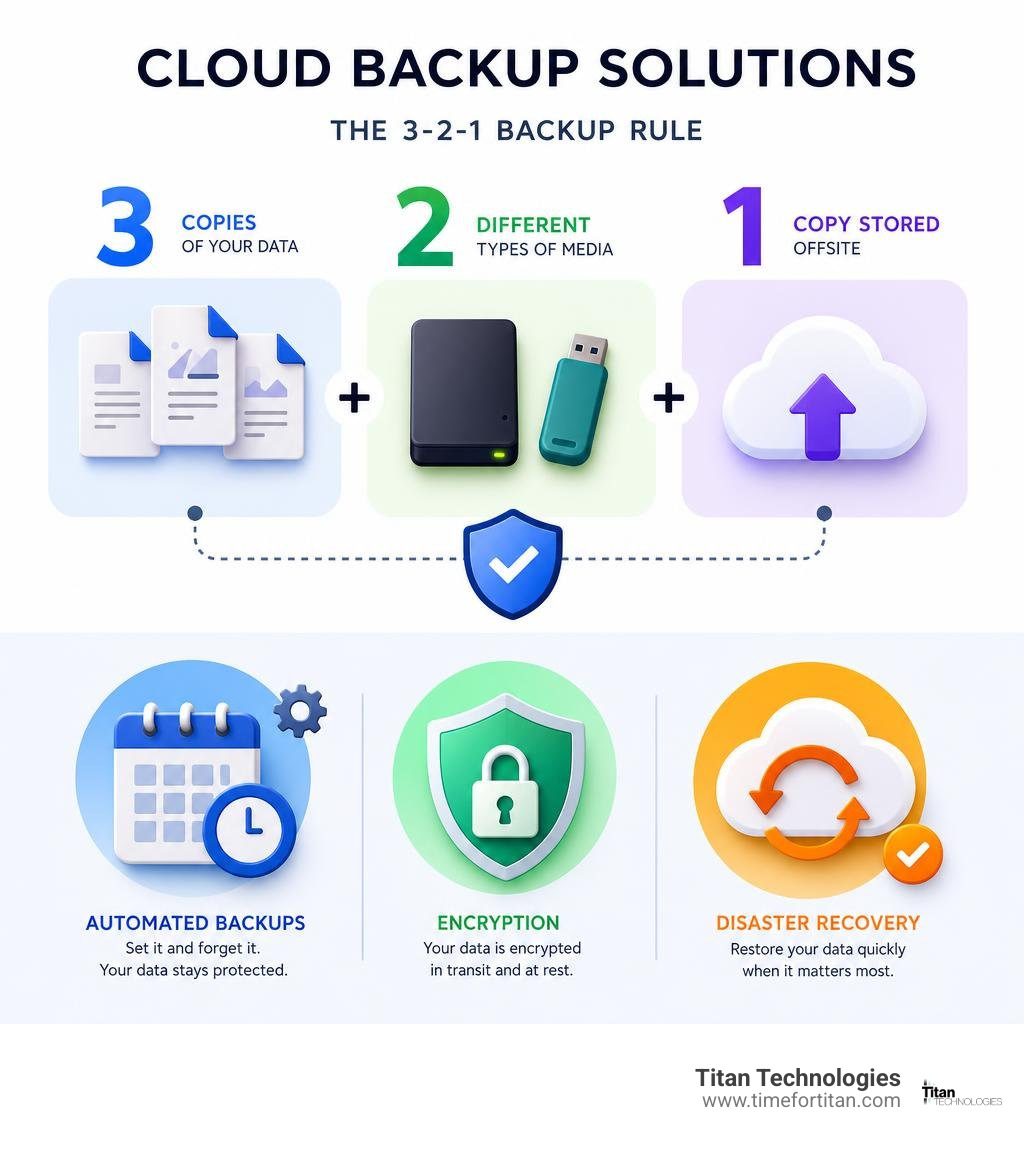
- Best Practice: Follow the 3-2-1 rule (3 copies, 2 media types, 1 offsite)
The stakes couldn’t be higher. Research shows that nearly half of businesses with major computer data loss shut down permanently, while data loss costs U.S. businesses over $11 billion annually. Whether it’s a ransomware attack, a server crash, or a simple mistake, the question isn’t if you’ll face data loss – it’s when.
Modern businesses rely on digital assets like customer databases, financial records, and project files. Yet many still use outdated backup methods or basic file syncing services that leave them vulnerable. The good news is that today’s cloud backup technology makes comprehensive data protection both affordable and automatic for businesses across Central New Jersey.
As Paul Nebb, founder of Titan Technologies and a cybersecurity expert, I’ve spent over 15 years helping businesses implement cloud backup solutions that provide true peace of mind. I’ve seen how the right backup strategy can mean the difference between a minor inconvenience and business closure.
Understanding the Essentials: Cloud Backup vs. Cloud Storage
Many business owners confuse cloud storage with cloud backup solutions, a mistake that can lead to catastrophic data loss. They are not the same.
Cloud storage services like Dropbox or Google Drive are built for file synchronization. They keep your files accessible across multiple devices, which is great for collaboration. However, if you accidentally delete a file, that deletion is mirrored everywhere. The file is gone.
Cloud backup solutions are different. They are designed for disaster recovery. These services automatically and continuously capture your entire digital environment—files, applications, and system settings. They create multiple historical versions (a feature called versioning), encrypt them, and store them safely offsite. When disaster strikes, you can restore everything to a specific point in time.
This is why our Cloud Services clients know they have true protection, not just convenient file access.
Why File Syncing Services Aren’t True Backup
File syncing services mirror your data’s current state. This means they also mirror your mistakes. If a file is deleted, corrupted, or encrypted by ransomware on your computer, the synced version in the cloud suffers the same fate. This mirroring behavior makes them unsuitable for true data protection.
Purpose-built backup software avoids this by maintaining a detailed history of your data. This continuous versioning allows you to roll back to a clean version of a file from yesterday, last week, or last month, turning potential disasters into minor issues.
The Core Benefits of a Dedicated Backup Strategy
Investing in a proper cloud backup solution provides business continuity insurance. Here are the core benefits:
- Ransomware Protection: If cybercriminals encrypt your files, you can restore clean data from before the attack without paying a ransom.
- Hardware Failure Recovery: When a server or hard drive dies, your data is safe offsite and can be restored to new hardware quickly.
- Human Error Mitigation: Easily undo accidental deletions or overwrites by restoring previous file versions.
- Business Continuity: Get back up and running quickly after a power outage, natural disaster, or major system failure, protecting your revenue and reputation.
- Scalability: Cloud backup grows with your business automatically, without requiring new hardware or infrastructure investments.
- Cost Predictability: A predictable monthly fee covers everything, eliminating surprise expenses for emergency data recovery.
Our Cloud-Based Disaster Recovery Plan integrates these benefits into a comprehensive strategy to keep Central New Jersey businesses protected.
Key Factors for Choosing Your Cloud Backup Solution

Choosing the right cloud backup solution is like selecting an insurance policy for your data. Not all solutions are equal, so it’s crucial to understand your business needs and find a service that delivers on those requirements.
Security and Compliance: Protecting Your Digital Assets
Security should be your top priority. Reputable providers often offer better security than most businesses can achieve on their own. Key features include:
- Encryption: Look for military-grade 256-bit AES encryption both at-rest (on the server) and in-transit (while data is traveling).
- Zero-Knowledge Encryption: An option where only you hold the decryption key, offering maximum privacy but requiring you to never lose the key.
- Multi-Factor Authentication (MFA): Adds a critical layer of protection against stolen passwords.
- Data Sovereignty: Knowing the physical location of your data is important for legal and privacy compliance.
- Compliance Certifications: If you’re in a regulated industry, look for certifications like HIPAA, GDPR, or SOC 2. Our Data Protection Management services can help ensure these requirements are met.
What to Look for in Business-Grade Cloud Backup Solutions
Business-grade solutions are built to handle serious workloads. Essential features include:
- Automatic and Continuous Backups: A “set it and forget it” approach that constantly protects new and modified data.
- File Versioning: The ability to restore older versions of files to recover from mistakes or corruption.
- Bare-Metal Restore: Restore an entire system—OS, applications, and data—to new hardware after a complete failure.
- Mobile Access: Access and restore files from smartphones and tablets to keep business moving.
- Server, NAS, and Endpoint Backup: Comprehensive protection for all your critical infrastructure, including servers, network storage, and employee laptops.
- Centralized Management Dashboard: A single interface to monitor backup status, manage users, and initiate restores across your organization.
Assessing Reliability, Speed, and Capacity
Your backup is useless if you can’t access it when needed. Look for:
- Uptime Guarantees: Reputable providers offer 99.9%+ uptime, backed by redundant data centers.
- Speed: While dependent on your internet, providers can offer seeding services (shipping a physical drive) to speed up initial backups or large restores.
- Capacity: Choose between unlimited storage plans, which are great for growth, or tiered plans for predictable data volumes. Our Backup and DR Solutions focus on scalable approaches.
Optimizing Costs for Cloud Backup Solutions
Look beyond the monthly fee to the total cost of ownership. While free solutions are tempting, they lack the features and support businesses need. When evaluating paid solutions, understand the pricing model (per-device vs. per-gigabyte) and watch for hidden egress fees for data restoration. The cost of a robust backup solution is minimal compared to the cost of permanent data loss.
Our Data Protection Cloud Based Services offer transparent, predictable pricing that scales with your business.
Implementing Your Backup Strategy: Best Practices
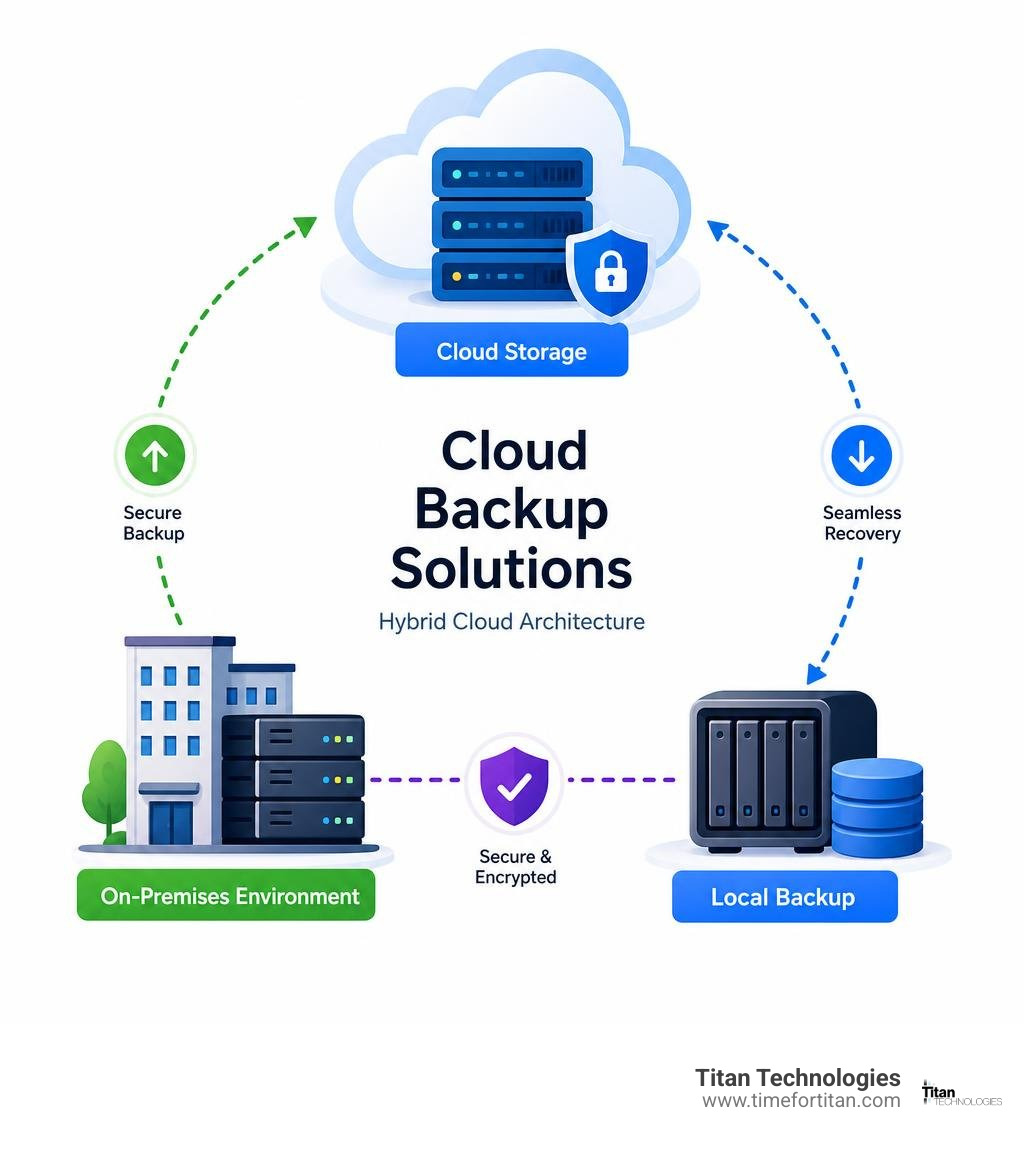
Having the right cloud backup solution is only half the battle; you must also ensure it works when needed. Effective backup requires thoughtful implementation and ongoing vigilance, not just a “set it and forget it” mindset. The goal is to create data resilience that can withstand anything from a user mistake to a full-scale disaster. Our Cloud Computing and Disaster Recovery services focus on this comprehensive approach.
Scheduling and Automation: Set It and Forget It (Correctly)
Modern backup solutions work silently in the background, but they need proper configuration. Match your backup frequency to how much data you can afford to lose. Continuous backup is the gold standard for critical data, while daily or hourly schedules may suffice for less dynamic files. Always schedule intensive backups for off-peak hours and use bandwidth management to prevent slowdowns during business hours.
The Power of Hybrid Backup (Local + Cloud)
A hybrid approach provides the best of both worlds. It follows the 3-2-1 rule: three copies of your data, on two different media, with one copy offsite. A local backup enables fast local restores for everyday issues like accidental file deletions. The offsite disaster protection of your cloud backup is your lifesaver in case of a major event like a fire, flood, or theft that destroys your local hardware. This redundancy ensures you’re covered no matter what happens.
Don’t Skip the Restore Test
A backup you can’t restore is useless. Many businesses only find their backups are corrupted or incomplete during an actual emergency. Regularly verifying data integrity by performing test restores is critical. This practice helps you confirm your Recovery Time Objective (RTO) (how long you can afford to be down) and Recovery Point Objective (RPO) (how much data you can afford to lose). Running periodic disaster recovery drills reveals gaps in your plan and ensures your team is prepared. Our Data Protection Specialists can help design and execute these critical tests.
Frequently Asked Questions about Cloud Backup
How often should a business back up its data?
Your backup frequency should match the amount of data you can afford to lose. For critical data that changes constantly (customer records, financial files), we recommend continuous backup or at least hourly backups. For less critical data, daily backups may be sufficient. The most important thing is that the process is completely automated. Manual backups are a recipe for disaster, as they are easily forgotten.
Is cloud backup truly secure against hackers and ransomware?
Yes, when implemented correctly with a reputable provider, cloud backup solutions are incredibly secure. They use 256-bit AES encryption to protect data in transit and at rest. Many solutions also offer immutable storage, which means backups cannot be altered or deleted by ransomware, ensuring your clean data is always available for restoration. This makes cloud backup far more secure than local backups, which can be stolen, damaged, or infected by the same attack that hits your primary systems.
What is the single most important feature in a business backup solution?
Without a doubt, it’s reliable restorability. A backup is worthless if you can’t get your data back. This means ensuring your backed-up data is intact and uncorrupted, the restoration process is straightforward, and you have access to file versioning. Versioning allows you to restore files from a specific point in time, which is crucial for recovering from accidental deletions or ransomware attacks. This is why we emphasize regular restore testing—a backup you can’t restore isn’t a backup at all.
Secure Your Business Future with the Right Backup Partner

Data protection is no longer a “nice-to-have”; it’s a necessity for business survival. Future trends like Artificial intelligence and smart automation are making cloud backup solutions even more proactive. However, this cutting-edge technology is only as good as the people managing it. You need a partner who understands how data protection fits into your daily operations, growth plans, and peace of mind.
At Titan Technologies, we’ve built our reputation on being that trusted partner for businesses across Central New Jersey. From Edison to Elizabeth, Lakewood to Newark, Trenton to Princeton, and throughout New Brunswick, Matawan, Woodbridge, Freehold, and Red Bank, we’ve seen how the right cloud backup solutions can transform a business owner’s stress into confidence.
Our approach is simple: we don’t just set up your backup and walk away. We become part of your team, offering fast, reliable support with a 100% satisfaction guarantee. When you call us, you’re getting cybersecurity expertise from professionals who genuinely care about keeping your business running smoothly.
Data disasters don’t wait for convenient timing. Having a partner who understands the urgency and has the expertise to respond quickly can mean the difference between a minor hiccup and a major crisis. Don’t let another day pass wondering if your data is truly protected. The peace of mind that comes from knowing your business information is secure, recoverable, and managed by experts is invaluable.
Get expert help with your business IT solutions and take the first step toward bulletproof data security today. Your business deserves a data protection strategy that grows with you, adapts to new threats, and gives you the confidence to focus on what you do best.