



Why Disaster Recovery as a Service Providers Are Critical for Business Survival
Disaster recovery as a service providers deliver cloud-based recovery solutions that protect your business from catastrophic data loss, ransomware attacks, and extended downtime. Here’s what you need to know when evaluating providers:
Top Considerations When Selecting DRaaS Providers:
- Recovery Time SLAs – Look for providers offering RTOs from minutes to hours, with options like one-hour or eight-hour recovery guarantees
- Service Delivery Models – Choose between fully managed, assisted, or self-service based on your internal IT capabilities
- Geographic Redundancy – Ensure data centers are located across multiple regions for true disaster protection
- Compliance Certifications – Verify support for HIPAA, SOC 2, GDPR, and PCI DSS if you handle regulated data
- Automated Failover – Prioritize solutions with push-button failover and failback capabilities
- Testing Capabilities – Confirm on-demand recovery testing without disrupting production systems
The stakes couldn’t be higher. Organizations lose an average of $300,000 per hour during downtime, while even small businesses face losses between $8,000 and $25,000 per hour. Amazon’s 63-minute outage cost them $34 million. Yet many businesses still rely on outdated disaster recovery methods or deprioritize critical systems due to cost constraints.
DRaaS eliminates these trade-offs by shifting expensive secondary data centers to affordable cloud infrastructure. Instead of maintaining duplicate hardware that sits idle, you pay only for what you use while gaining enterprise-grade protection. With 74% of organizations planning to leverage DRaaS for ransomware recovery by 2026, the shift from traditional DR to cloud-based solutions is accelerating rapidly.
The difference between traditional disaster recovery and modern DRaaS is simple: traditional DR requires dedicated secondary sites, duplicate hardware, and in-house expertise. DRaaS delivers the same capabilities through cloud-based services managed by experts, reducing both cost and complexity. For small to medium-sized businesses in Central New Jersey facing rising cybersecurity threats and budget constraints, this matters immensely.
I’m Paul Nebb, founder of Titan Technologies with expertise in cyber security and emergency preparedness spanning clients from national corporations to small businesses. Throughout my work helping organizations evaluate disaster recovery as a service providers, I’ve seen how the right DRaaS solution transforms business resilience while reducing IT complexity.
Disaster recovery as a service providers terms to remember:
Understanding the Mechanics of Cloud-Based Resilience
To appreciate why disaster recovery as a service providers are so effective, we have to look under the hood. At its core, DRaaS isn’t just a “backup in the sky.” It is a sophisticated orchestration of technologies designed to keep your business running even if your physical office in Edison or Princeton is underwater or encrypted by hackers.
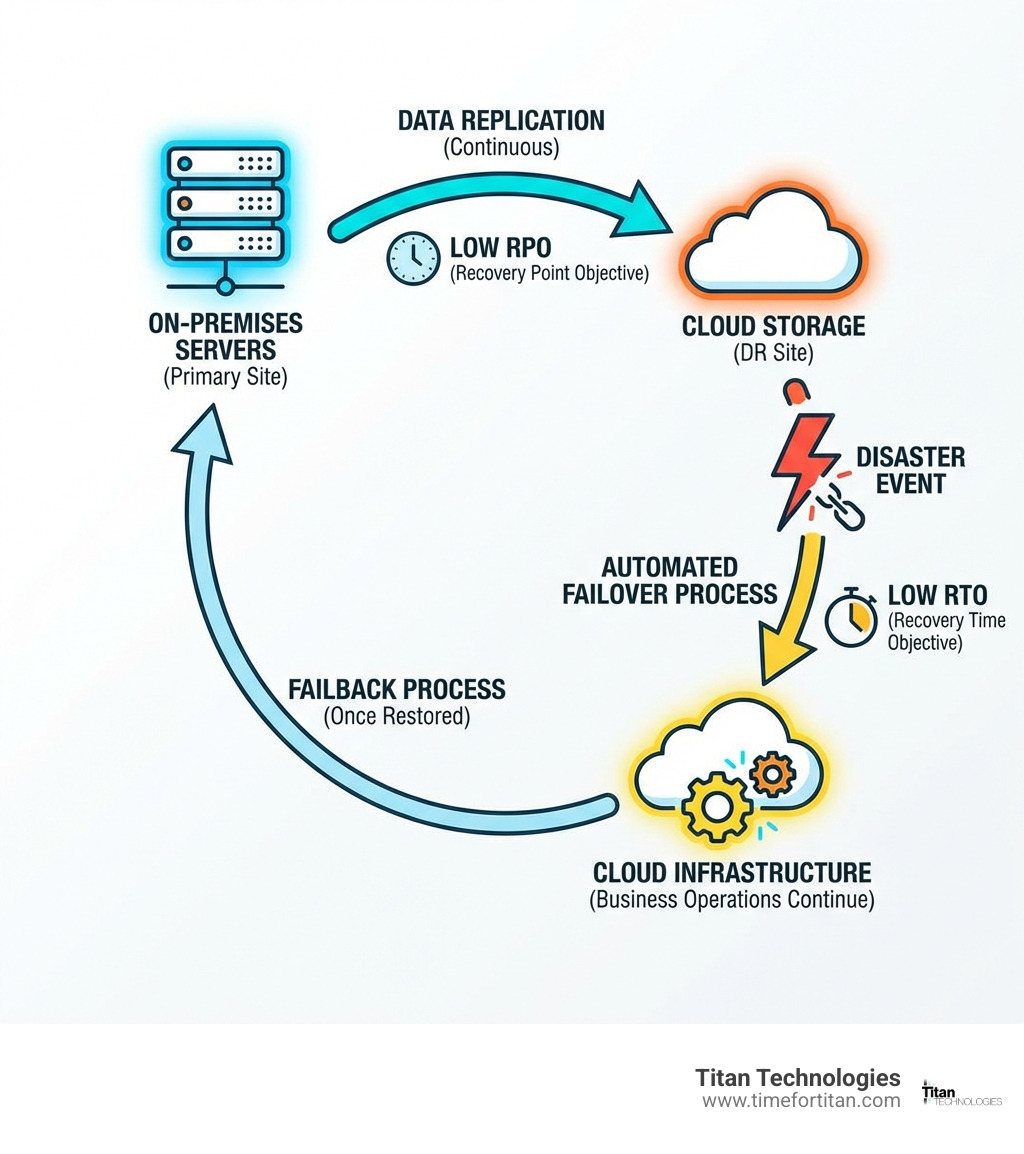
The process begins with Replication. This is the continuous or near-continuous copying of data and system images from your primary environment to a secure cloud infrastructure. Unlike traditional backups that might run once a night, modern DRaaS often uses Continuous Data Protection (CDP), which can reduce your Recovery Point Objective (RPO)—the amount of data you’re willing to lose—down to mere seconds.
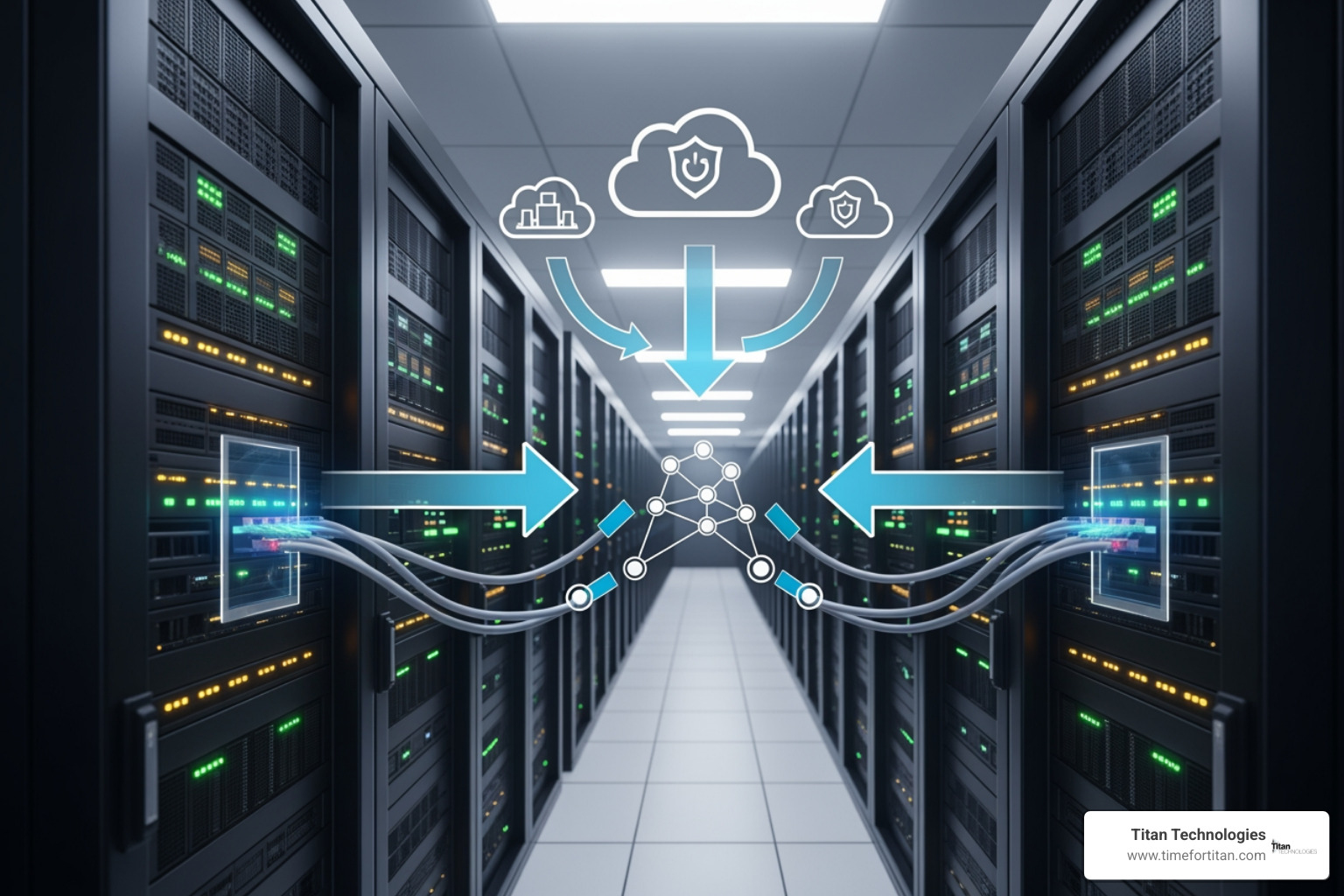
When a disaster occurs, the Failover mechanism kicks in. This is where the magic happens. Instead of waiting days to buy new servers and restore tapes, your applications are “spun up” as Virtual Machines (VMs) in the provider’s cloud. Your team can then access these systems remotely, ensuring business continuity. Once the threat is neutralized and your local systems in Newark or Trenton are repaired, the Failback process synchronizes any changes made in the cloud back to your primary site.
This entire dance is governed by Cloud Computing and Disaster Recovery principles, utilizing snapshot-based backups and automated orchestration to eliminate human error. It’s like having a digital “stunt double” for your entire IT department, ready to jump in the moment things get messy.
Evaluating Top Disaster Recovery as a Service Providers
Choosing between disaster recovery as a service providers can feel like trying to pick a favorite child—they all have their strengths, and you really don’t want to make the wrong choice. When we help businesses in places like Woodbridge or New Brunswick evaluate vendors, we look for a “Goldilocks” fit: a provider that isn’t too rigid but offers enough muscle to handle a real crisis.
Key factors to weigh include:
- Geographic Redundancy: Does the provider have data centers far enough away from Central NJ to avoid the same power grid or weather event, but close enough to meet latency requirements?
- Automated Failover: Can you trigger a recovery with a “push-button” interface, or does it require a 40-page manual and a PhD in computer science?
- Recovery Time SLAs: Are their guarantees legally binding? Axcient, for example, offers one-hour and eight-hour RTO options.
- On-Demand Recovery Cloud: Can you spin up a test environment at 2 PM on a Tuesday to verify your plan without crashing your actual production servers?
According to Best Disaster Recovery as a Service Reviews, peer-rated highest products often excel in “willingness to recommend” and integration capabilities. We always emphasize that Data Protection as a Service is only as good as the expertise behind it. A provider might have 40 data centers across 15 states, but if their support team isn’t available when your servers go dark at 3 AM on a Sunday, those data centers won’t do you much good.
Service Delivery Models of Disaster Recovery as a Service Providers
Not every business wants or needs the same level of hand-holding. Disaster recovery as a service providers typically offer three distinct flavors:
- Managed DRaaS: The “white glove” service. The provider takes total responsibility for failover and failback. This is ideal for organizations with limited IT staff who want to sleep soundly knowing the experts have it covered.
- Assisted DRaaS: A collaborative approach. You manage some parts of the recovery, but the provider offers expertise and specialized tools for the heavy lifting.
- Self-Service DRaaS: The DIY option. The provider gives you the cloud “real estate” and the software, but your internal IT team is responsible for the configuration and execution. This offers the most control but requires significant internal resources.
Key Compliance Standards for Disaster Recovery as a Service Providers
In our neck of the woods—Central New Jersey—we have a high concentration of healthcare, legal, and financial firms. For these businesses, a disaster isn’t just an operational headache; it’s a potential legal nightmare.
Top-tier disaster recovery as a service providers must support rigorous compliance standards:
- HIPAA: Essential for medical practices in New Brunswick or Princeton to protect patient data.
- SOC 2: Validates that the provider has strict controls over security, availability, and privacy.
- GDPR & PCI DSS: Critical for any firm handling European citizen data or credit card transactions.
- Immutable Storage: A must-have for Ransomware Protection for Business. Immutable backups cannot be deleted or modified by hackers, ensuring you always have a “clean” copy to restore from.
Strategic Implementation: From Impact Analysis to Failover
You wouldn’t build a house without a blueprint, and you certainly shouldn’t implement DRaaS without a plan. We recommend a structured approach that begins with a Business Impact Analysis (BIA). This involves identifying which parts of your business are “mission-critical” (if they go down, the lights go out) versus “important” or “unimportant.”
| Feature | Traditional DR | Backup as a Service (BaaS) | DRaaS |
|---|---|---|---|
| Recovery Speed | Days to Weeks | Hours to Days | Minutes to Hours |
| Infrastructure | Duplicate Hardware | Off-site Storage | Cloud Virtualization |
| Cost Model | High CapEx | Low OpEx | Scalable OpEx |
| Complexity | Very High | Low | Moderate (Managed) |
| Best For | Massive Enterprises | Simple Data Archival | Modern Business Continuity |
Once you’ve identified your critical workloads, a Risk Assessment helps you understand what you’re actually protecting against—be it a flooded basement in Elizabeth or a ransomware attack in Matawan. From there, you can build an asset inventory and a Disaster Recovery Plan Example that includes clear roles and responsibilities.
The most important step? Testing and Validation. A plan that hasn’t been tested is just a very expensive piece of fiction. We advocate for quarterly testing, ranging from tabletop exercises (talking through a scenario) to full failover simulations. Modern DRaaS tools allow for “runbook automation,” which script the recovery steps so you don’t have to remember them while the building is (metaphorically) on fire.
The Financial Case for Modern Recovery Solutions
Let’s talk turkey. Many business owners view disaster recovery as a “grudge purchase”—like car insurance or a trip to the dentist. However, when you look at the numbers, DRaaS is one of the most cost-effective investments you can make.
Traditional DR requires massive CapEx (Capital Expenditure). You have to buy servers, storage, and networking gear for a secondary site, then pay for power, cooling, and maintenance for hardware that mostly just sits there gathering dust. DRaaS flips the script to an OpEx (Operating Expenditure) model. You pay a monthly fee for the capability to recover, scaling your costs based on what you actually protect.
Considering that The Average Data Breach Now Costs $4.88 Million, the “pay-as-you-go” nature of DRaaS makes enterprise-grade recovery accessible even for small businesses in Freehold or Red Bank. It democratizes resilience. You no longer need a multi-million dollar IT budget to achieve a sub-one-hour RTO. By reducing IT complexity and eliminating the need for a secondary data center, DRaaS allows your team to focus on innovation rather than infrastructure maintenance.
Frequently Asked Questions about DRaaS
How does DRaaS differ from standard Backup as a Service (BaaS)?
Think of BaaS as a “digital filing cabinet.” It’s great for long-term retention and keeping your files safe, but if your server dies, you still have to find a new server, install the operating system, and then pull the files back. DRaaS is more like a “spare car.” It doesn’t just keep your data; it keeps your entire environment ready to run. DRaaS includes the orchestration and compute power to spin up your systems in the cloud immediately.
What is the ideal frequency for testing a DRaaS plan?
While some compliance standards only require annual testing, we believe that’s playing with fire. In the fast-moving world of Central Jersey business, your IT environment changes weekly. We recommend quarterly testing. This should include a mix of “tabletop” drills to ensure everyone knows their roles and technical failover tests to ensure the automation still works after your latest software updates.
Can DRaaS support hybrid and multi-cloud environments?
Absolutely. In fact, that’s one of its biggest strengths. Modern disaster recovery as a service providers can protect workloads that are running on-premises, in private clouds, or in public clouds like AWS or Azure. This flexibility allows you to failover from an on-prem server in Lakewood to the cloud, or even between different cloud providers, ensuring you aren’t “locked in” to a single point of failure.
Conclusion
In an era where downtime isn’t just an inconvenience but a threat to your company’s existence, disaster recovery as a service providers offer the ultimate safety net. Whether you’re dealing with a natural disaster, a hardware failure, or a sophisticated cyberattack, the ability to resume operations in minutes rather than days is a true competitive advantage.
At Titan Technologies, we specialize in bringing this level of resilience to businesses across Central New Jersey. From Edison to Princeton and everywhere in between, our professional team provides managed IT services and cybersecurity solutions backed by a 100% satisfaction guarantee. We don’t just sell software; we provide the peace of mind that comes with knowing your Business Disaster Recovery (BDR) is handled by experts.
Don’t wait for a disaster to find out your recovery plan is inadequate. Let us help you turn disaster recovery from a source of stress into your business’s secret weapon.